
VAST Error Codes Complete Reference (100 to 901): Root Causes and Automated Alerting
Every time an OpenRTB 2.6 video auction clears with a winning bid and the client media player or Server-Side Ad Insertion (SSAI) stitcher fails to render the

Every time an OpenRTB 2.6 video auction clears with a winning bid and the client media player or Server-Side Ad Insertion (SSAI) stitcher fails to render the first frame of video, the publisher absorbs a 100% revenue write-off on that impression opportunity. Under Media Rating Council (MRC) and IAB Tech Lab measurement standards, compliant video players only fire the <Impression> tracking pixel after the video creative begins rendering on the viewport. Any breakdown between the auction clearing event and that initial rendered frame creates a dark gap between auction wins and billable impressions, directly depressing effective yield (eCPM) across web, mobile app, and Connected TV (CTV) supply.
The secondary damage of unresolved video playback failures is even more severe than the immediate lost impression. Tier-1 DSPs continuously monitor the Bid-to-Impression ratio (also known as the win-to-render rate) across every supply path. When a DSP wins 100,000 video auctions through Prebid Server or Google Ad Manager (GAM 360) and receives only 68,000 billable <Impression> callbacks due to client timeouts or media decoding failures, its automated supply path optimization (SPO) models classify the inventory as low-efficiency. Within hours, bid shading algorithms depress clearing prices or QPS throttling engines restrict bid density on that publisher's placement IDs.
Diagnosing and eliminating this render loss requires systematic telemetry built around the <Error> tracking element and the [ERRORCODE] macro. The IAB Tech Lab VAST 4.x specification defines standardized error codes across distinct failure domains: 100-level codes for XML parsing and schema errors, 200-level codes for player trafficking and linearity mismatches, 300-level codes for wrapper timeouts, redirect limits, and no-fill responses (303), and 400-level codes for linear media file retrieval (402) and hardware codec decoding failures (405), alongside 500-level through 900-level codes covering non-linear overlays, companion banners, interactive APIs, and undefined player faults. This reference examines the exact root causes of every VAST error code from 100 to 901 and details how to build an automated anomaly detection pipeline to catch broken demand before it erodes yield.
How the VAST Macro ([ERRORCODE]) Works in Production
In a VAST XML document, the <Error> element provides a callback URI that the video player or SSAI stitcher must request if it fails to play the ad for any reason. The <Error> node can exist at two levels within the XML hierarchy: directly under the root <VAST> element (used exclusively when an ad server returns a no-fill response containing no <Ad> node) or nested inside an <InLine> or <Wrapper> element. When trafficking video tags, ad servers include the literal [ERRORCODE] macro inside the query string or path of the <Error> URI.
In production programmatic environments, a single ad request rarely resolves in one hop. A typical CTV or instream video auction may pass through a primary ad server wrapper, a participating SSP wrapper, an agency ad server wrapper, and finally resolve to a DSP <InLine> response containing the <MediaFile> array. As the video player unrolls this wrapper chain, it must parse and store every <Error> URI declared at each intermediate <Wrapper> hop alongside the <Error> URI inside the terminal <InLine> node. If playback fails at the final step, such as when the hardware decoder rejects a malformed MP4 container, the video player must substitute [ERRORCODE] with the corresponding three-digit integer (405) across every accumulated URI in the chain and fire asynchronous HTTP GET requests to notify all upstream platforms simultaneously.
<VAST version="4.2" xmlns:xs="http://www.w3.org/2001/XMLSchema">
  <Ad id="sb-ctv-994812" sequence="1">
    <Wrapper followAdditionalWrappers="1" allowMultipleAds="0" fallbackOnNoAd="1">
      <AdSystem version="2.6">Sky BoostsSSP</AdSystem>
      <VASTAdTagURI><![CDATA[https://dsp-bidder.example.com/vast/redirect?auid=88310&cb=171192004]]></VASTAdTagURI>
      <Error><![CDATA[https://telemetry.skyboosts.com/vast/error?code=[ERRORCODE]&seat=dsp_14&impid=994812&ts=[TIMESTAMP]]]></Error>
      <Impression id="sb-imp-1"><![CDATA[https://telemetry.skyboosts.com/vast/imp?seat=dsp_14&impid=994812]]></Impression>
      <Creatives>
        <Creative id="cr-wrapper-994812">
          <Linear>
            <TrackingEvents>
              <Tracking event="start"><![CDATA[https://telemetry.skyboosts.com/vast/start?impid=994812]]></Tracking>
            </TrackingEvents>
          </Linear>
        </Creative>
      </Creatives>
    </Wrapper>
  </Ad>
</VAST>
When a client player like the Google IMA SDK, Roku Advertising Framework (RAF), or a custom HTML5 video controller encounters an abort condition, its macro replacement engine scans each stored <Error> URI for [ERRORCODE] (and the deprecated VAST 2.0 [ERROR] macro for backward compatibility). Operating a high-yield CTV monetization platform requires capturing these error callbacks at the edge with sub-second latency, enriching them with OpenRTB auction metadata (seat, crid, adomain, bundle, and device OS), and correlating whether the failure originated in client-side execution or inside an SSAI stitcher.
/**
 * Production VAST Error Beacon Dispatcher
 * Resolves IAB VAST 4.x macros across accumulated Wrapper and InLine Error URIs
 */
function dispatchVastErrorBeacons(errorUris, errorCode, context = {}) {
  const safeCode = Number.isInteger(errorCode) ? String(errorCode) : '900';
  const timestamp = new Date().toISOString();
  const cacheBuster = Math.floor(10000000 + Math.random() * 90000000);

  errorUris.forEach((rawUri) => {
    if (!rawUri || typeof rawUri !== 'string') return;

    const resolvedUri = rawUri
      .replace(/\[ERRORCODE\]/gi, encodeURIComponent(safeCode))
      .replace(/\[ERROR\]/gi, encodeURIComponent(safeCode))
      .replace(/\[TIMESTAMP\]/gi, encodeURIComponent(timestamp))
      .replace(/\[CACHEBUSTING\]/gi, String(cacheBuster))
      .replace(/\[ASSETURI\]/gi, encodeURIComponent(context.assetUri || ''));

    if (typeof navigator !== 'undefined' && navigator.sendBeacon) {
      navigator.sendBeacon(resolvedUri);
    } else {
      fetch(resolvedUri, { method: 'GET', mode: 'no-cors', keepalive: true }).catch(() => {});
    }
  });
}
Parsing and Schema Errors (100, 101, 102)
The 100-level error family indicates that the video player or SSAI parser received an HTTP response from the ad server or OpenRTB adm field, but could not construct a valid VAST Document Object Model (DOM) from the payload. Because 100-level errors occur before the XML is fully parsed, the player often cannot extract the <Error> URI inside the broken document itself; instead, it fires the <Error> beacons accumulated from parent <Wrapper> hops or logs the failure locally through the player SDK error listener.
- Error 100 (XML parsing error): The response payload violates core W3C XML 1.0 syntax rules. In programmatic auctions, over 80% of Error 100 spikes trace back to unescaped ampersands (
&) inside<Tracking>,<Impression>, or<MediaFile>URLs that a bidder injected without wrapping the URL string in a<![CDATA[ ... ]]>block. When an XML parser encounters&utm_source=outside a CDATA section, it attempts to resolve&utm_sourceas an XML entity reference, fails to find a terminating semicolon, and aborts parsing immediately. Other common culprits include truncated OpenRTBseatbid.bid.admstrings caused by intermediary buffer limits, stray UTF-8 byte-order marks (BOM) preceding the<?xml version="1.0"?>declaration, or double-escaped HTML entities (&lt;VAST&gt;) returned by misconfigured DSP bid adapters. - Error 101 (VAST schema validation error): The document is syntactically valid XML, but its element structure or attribute values violate the IAB VAST XSD schema. Typical causes include an
<InLine>element missing a required<Creatives>or<AdSystem>node, a<Duration>node formatted as an integer (30) instead of the mandatoryHH:MM:SSorHH:MM:SS.mmmtimecode (00:00:30), or<MediaFile>elements missing requireddelivery,type,width, orheightattributes. Connected TV environments like Roku BrightScript (RAF) enforce strict node ordering and attribute presence; an XML payload that a forgiving HTML5 web player silently accepts will immediately trigger Error 101 on Roku hardware. - Error 102 (VAST version of response not supported): The
<VAST version="X.X">attribute specifies a protocol version higher than the video player or SSAI parser supports. This occurs when a publisher's OpenRTB bid request declares support for VAST 4.2 or 4.3 in theimp.video.protocolsarray ([2, 3, 5, 6, 7, 8, 11, 12, 13, 14]), while the legacy client player embedded on a older Smart TV webview only supports VAST 2.0 and 3.0 ([2, 3, 5, 6]).
Preventing 100-series errors requires strict validation at the SSP and Prebid Server level. SSP bid adapters should run fast streaming XML syntax validation on incoming adm payloads before entering the auction, strip leading whitespace or BOM bytes, and verify that imp.video.protocols accurately reflects the exact capabilities of the target player SDK.
Player Trafficking and MediaFile Mismatches (200, 201, 202, 203)
The 200-level error family fires when the VAST XML parses cleanly, but the returned ad unit violates the structural or contractual playback rules of the video player's current ad slot. These errors almost always stem from a mismatch between the parameters sent in the OpenRTB imp.video object (or GAM ad tag query parameters) and the actual creative trafficked by the buyer.
- Error 200 (Trafficking error): The video player received an ad type that it was not expecting or cannot execute within the current placement context. For example, an audio-only player receiving a video creative without an audio fallback, or an SSAI stitcher receiving a client-side interactive tag that cannot be server-stitched into an HLS manifest, will fire Error 200.
- Error 201 (Video player expecting different linearity): The player requested a
<Linear>video ad (such as a pre-roll or mid-roll pod stream) and received a<NonLinearAds>static overlay response, or vice versa. In OpenRTB 2.6,imp.video.linearity = 1explicitly requires linear (in-stream) creatives. If a DSP ignores this flag or a direct-sold GAM line item is accidentally trafficked with an overlay creative on a linear CTV ad unit, the player aborts with Error 201. - Error 202 (Video player expecting different duration): The
<Duration>value inside the<Linear>node exceeds the maximum duration (maxduration) requested by the player, falls belowminduration, or fails to match a strict fixed-duration pod slot. Error 202 is particularly prevalent in live CTV dynamic ad insertion (DAI), where an SSAI stitcher must fill a hard 60.0-second SCTE-35 broadcast break using two 30-second spots. If a DSP responds to a 30-second maximum request with a creative declaring<Duration>00:00:30.450</Duration>due to uncompressed slate frames at the tail of the video, strict SSAI stitchers reject the creative with Error 202 unless pod duration normalization is enabled. - Error 203 (Video player expecting different size): None of the provided
<MediaFile>nodes match the dimensional constraints or aspect ratio required by the player viewport. For example, delivering a vertical 9:16 mobile video (width="1080" height="1920") into a landscape 16:9 CTV placement (width="1920" height="1080"), or returning only ultra-high-resolution 4K assets to a constrained mobile web player with a strict resolution ceiling, triggers Error 203.
Publishers scaling high-value CTV video formats can eliminate 200-level rejections by enforcing strict OpenRTB validation rules at the auction layer: rejecting bid responses whose dur attribute exceeds imp.video.maxduration before the bid enters the final clearing auction.
Wrapper and Timeout Failures (300, 301, 302, 303, 304)
The 300-level error family governs <Wrapper> resolution, redirect depth, network latency across ad server hops, and downstream no-fill responses. In header bidding and multi-tier waterfall setups, 300-series codes typically represent the highest volume of VAST error traffic by sheer count, making it essential to distinguish benign no-fill signals (303) from destructive infrastructure timeouts (301 and 304).
- Error 300 (General Wrapper error): A catch-all wrapper failure fired when a
<Wrapper>node cannot be followed and none of the specific 301-304 conditions apply. The most common production causes of Error 300 are Cross-Origin Resource Sharing (CORS) failures on the<VASTAdTagURI>endpoint (where the downstream ad server omits theAccess-Control-Allow-Originresponse header or fails to echoAccess-Control-Allow-Credentials: true), mixed-content violations (an HTTPS page attempting to fetch an HTTP<VASTAdTagURI>), or circular wrapper loops where Ad Server A redirects to Ad Server B, which redirects back to Ad Server A. - Error 301 (Timeout of VAST URI provided in Wrapper element): The player issued an HTTP GET request to the
<VASTAdTagURI>specified in a<Wrapper>, and the downstream server failed to return the complete XML response within the player's configured wrapper timeout window (such asvastLoadTimeoutin Google IMA SDK, which defaults to 5000ms to 8000ms depending on SDK configuration). Error 301 spikes occur when a DSP or third-party verification wrapper experiences regional data center latency, TLS handshake stalls, or DNS resolution delays. - Error 302 (Wrapper limit reached, as defined by the video player): The wrapper chain exceeded the maximum number of sequential redirects permitted by the player (
maxWrapperRedirectsin IMA SDK defaults to 4 or 5 hops). When an auction passes through GAM -> Open Bidding or Prebid wrapper -> SSP wrapper -> Agency Ad Server wrapper -> Verification wrapper -> DSP InLine, the chain hits 5 hops and the player terminates resolution with Error 302. Flattening wrapper chains via server-side VAST unwrapping inside Prebid Server or an SSAI proxy eliminates Error 302 entirely. - Error 303 (No VAST response after one or more Wrappers): The player followed one or more
<Wrapper>redirects, and the downstream server returned an empty VAST document (<VAST version="4.2"/>with no<Ad>node) or an HTTP 204 No Content response. In programmatic RTB, Error 303 should ideally approach zero because the DSP has already bid on the impression. When Error 303 spikes on RTB demand, it indicates either post-auction blocking by an agency verification wrapper wrapped around the DSP's creative, a broken DSP win-notice/VAST cache key where the DSP's VAST cache expired before the client player fetched<VASTAdTagURI>, or legacy third-party tag networks arbitraging inside an RTB wrapper. - Error 304 (InLine response returned ad unit that failed to result in ad display within defined time limit): The wrapper chain successfully resolved to a terminal
<InLine>document, but the cumulative time spent traversing the wrapper hops left insufficient time inside the player's overall ad break deadline to initialize and render the creative. If a pod has an 8000ms total startup budget and three wrapper hops consume 7200ms, the remaining 800ms is not enough to buffer the video, triggering Error 304.
Linear Video Playback and Mezzanine Failures (400, 401, 402, 403, 405)
The 400-level error family represents the most damaging category of VAST failures for publisher yield and DSP algorithmic health. When a 400-series error occurs, the OpenRTB auction has already cleared, every <Wrapper> hop has resolved, and the <InLine> XML has parsed without error. The failure happens at the final stage: selecting, downloading, or decoding the binary video stream inside the <MediaFiles> array.
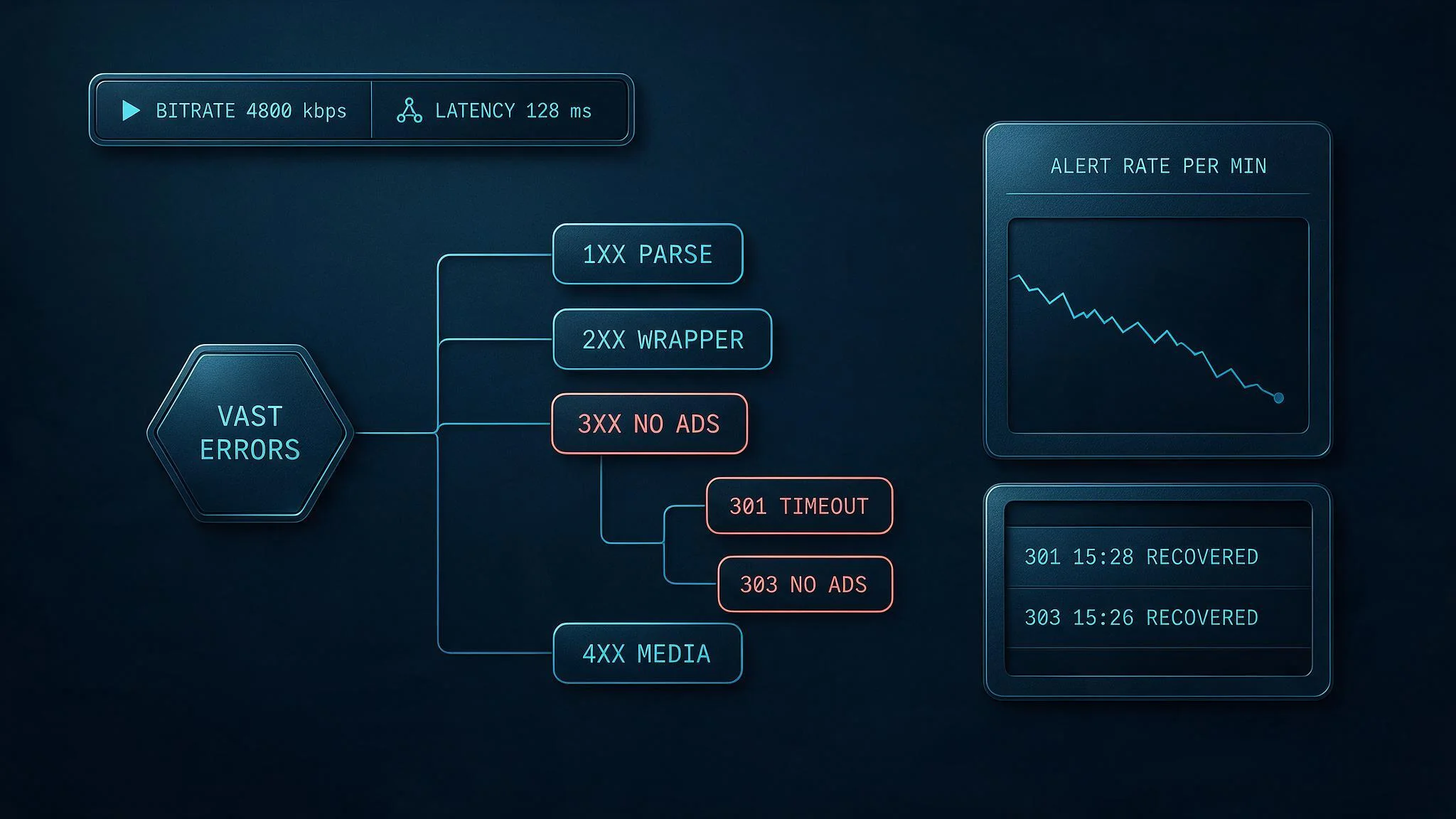
Understanding the nuances between the 400-level codes, as well as the 500-level through 901 codes that complete the VAST specification, allows AdOps and video engineering teams to isolate whether a playback failure is caused by a dead CDN link, an attribute mismatch, a bandwidth timeout, or an incompatible codec profile.
- Error 400 (General Linear error): The player encountered an unspecified error while attempting to play a linear video creative, such as an unexpected hardware audio output interruption, DRM license acquisition conflict during an ad break transition, or an unhandled DOM exception inside the
<video>element. - Error 401 (File not found): The player attempted to fetch the selected
<MediaFile>URI and received an HTTP 404 Not Found, HTTP 403 Forbidden, or HTTP 410 Gone status code from the creative CDN. This frequently happens when a DSP continues bidding with a cached creative after the agency has deleted or rotated the video file on its origin storage bucket, or when signed CDN URLs expire before the client requests the media asset. - Error 403 (Couldn't find MediaFile that is supported by this video player, based on the attributes of the MediaFile element): Crucially, Error 403 happens before the player makes a network request to download the video file. The player inspects the XML attributes of every
<MediaFile>element (type,delivery,bitrate,width,height,codec, andapiFramework) and determines that zero candidates are compatible with the environment. The classic example is a DSP returning only avideo/webmor VPAIDapplication/javascript<MediaFile>to an Apple iOS Safari or Roku CTV device that requiresvideo/mp4orapplication/x-mpegURL(HLS). - Error 406 (Mezzanine was required but not provided): In CTV and SSAI workflows, stitchers require a high-bitrate raw
<Mezzanine>file inside the VAST 4.x<MediaFiles>node so the SSAI platform can transcode the ad into the exact adaptive bitrate (ABR) ladder, frame rate, and segment duration matching the primary live stream. If a stitcher requires a mezzanine asset and the DSP omits the<Mezzanine>node, the stitcher returns Error 406. - Error 407 (Mezzanine is in the process of being downloaded for the first time): This is an operational status signal in SSAI environments rather than a permanent creative fault. When a new creative wins its very first auction on an SSAI platform, the stitcher must download the
<Mezzanine>file and transcode it into HLS/DASH segments asynchronously. Because real-time transcoding takes 15 to 60 seconds, the stitcher drops the ad from the current break (or substitutes a fallback slate) and fires Error 407 so the DSP knows the creative is being ingested for subsequent auctions. - Error 408 (Conditional ad rejected): The
<Ad conditionalAd="true">attribute was set, and the player or client verification script declined to execute the ad based on local pre-flight conditions. - Error 409 (Interactive unit in the InteractiveCreativeFile node was not executed): The linear video played (or attempted to play), but the interactive overlay declared in
<InteractiveCreativeFile>(such as a SIMID unit) failed to load or execute. - Error 410 (Verification unit in the Verification node was not executed): An Open Measurement (OMID) verification script inside
<AdVerifications>failed to initialize or timed out, and the player was configured to report or abort on verification script failure.
Beyond the 400-series linear codes, the complete VAST error taxonomy from 500 to 901 covers non-linear overlays, companion banners, and general runtime extensions:
| Error Code | VAST Specification Definition | Primary Production Root Cause |
|---|---|---|
| 500 | General NonLinearAds error | Unhandled runtime error rendering a non-linear overlay unit. |
| 501 | Unable to display NonLinear Ad because creative dimensions do not align with creative display area | The overlay width/height exceeds the player viewport dimensions and scalable="false" is set. |
| 502 | Unable to fetch NonLinearAds/NonLinear resource | HTTP 404/403 or timeout fetching the <StaticResource> or <IFrameResource> URI. |
| 503 | Couldn't find NonLinear resource with supported type | The creativeType attribute (e.g., application/x-shockwave-flash) is unsupported by the browser. |
| 600 | General CompanionAds error | Unspecified error rendering a <Companion> banner alongside the video player. |
| 601 | Unable to display Companion because creative dimensions do not fit within Companion display area | Companion dimensions do not match the page's designated companion <div id="..."> slot size. |
| 602 | Unable to display Required Companion | <CompanionAds required="all"> or required="any" failed to render the mandatory companion slot. |
| 603 | Unable to fetch CompanionAds/Companion resource | Network failure or HTTP 404 loading the companion image or iframe resource. |
| 604 | Couldn't find Companion resource with supported type | Unsupported MIME type in <StaticResource creativeType="...">. |
| 900 | Undefined Error | Unmapped exception or non-standard player abort where no 100-604 code applies. |
| 901 | General VPAID error (also used for SIMID/OMID runtime errors) | Legacy VPAID JS wrapper threw an uncaught exception, failed initAd(), or timed out on startAd(). |
Diagnosing Error 402 (Timeout of MediaFile URI) on CDN Edges
Error 402 fires when the video player selects a valid <MediaFile>, opens an HTTP connection to the CDN URI, and fails to buffer enough video frames to begin playback before the player's media load timer expires (such as mediaLoadTimeout in Google IMA SDK, which defaults to 8000ms). Unlike Error 301 (which times out fetching the lightweight VAST XML), Error 402 times out fetching the binary video stream itself.
Three engineering failures drive almost all Error 402 incidents:
- Heavy Bitrate Selection on Constrained Networks: Many DSPs include a poorly ordered
<MediaFiles>array ranging from a 600 kbps 360p MP4 up to a 15,000 kbps (15 Mbps) 1080p mezzanine-grade MP4. If a client player's bitrate selection heuristic defaults to picking the highest resolution file (1920x1080) without measuring real-time network throughput, a mobile device on a congested cellular connection or a CTV device on weak Wi-Fi will attempt to buffer a 55 MB video file and hit the 8000ms timeout limit every time. Configuring the player SDK to enforce a maximum bitrate cap (for example,2500kbps on mobile web and6000kbps on CTV) or prioritizing HLS adaptive bitrate (application/x-mpegURL) manifests resolves this bottleneck. - Missing HTTP Byte-Range Support and Cold CDN Edges: HTML5
<video>elements and native OS players (AVPlayeron iOS/tvOS andExoPlayeron Android/Fire TV) rely onRange: bytes=0-HTTP requests to fetch the initial header and first few seconds of video without downloading the entire file. If a DSP's creative CDN does not returnAccept-Ranges: bytesand an HTTP 206 Partial Content status, the player is forced to download the full MP4 payload before playback can start, triggering Error 402. - Unoptimized MP4
moovAtom Placement: In an ISO Base Media File Format (MP4) container, themoovatom contains the index table mapping frame timestamps to byte offsets. When a video encoding tool writes themoovatom at the very end of the file (after themdatmedia data atom) instead of usingfaststartto placemoovat the front of the file, the player must download 100% of the file or execute multiple round-trip byte-range seeks to the end of the file before it can render frame one. Under high network RTT, those extra round trips push initialization past the 8000ms media timeout threshold.
Diagnosing Error 405 (Problem Displaying MediaFile - Codec/Bitrate Rejections)
While Error 403 indicates that the player rejected all <MediaFile> nodes based on their XML attributes before making a network request, Error 405 indicates that the XML attributes looked acceptable, the player downloaded the initial byte stream from the CDN, and the browser or hardware media decoder rejected the binary stream during initialization or playback.
In production CTV and mobile environments, Error 405 almost always points to one of four binary encoding mismatches:
- H.264 Profile, Level, and Chroma Subsampling Mismatches: A
<MediaFile>may declaretype="video/mp4", which satisfies the XML check. However, when the hardware decoder on a Samsung Tizen, LG webOS, or Roku TV inspects the binary SPS/PPS NAL units inside the MP4 container, it discovers the video was encoded using H.264 High 10 Profile (10-bit color depth) or 4:2:2 chroma subsampling straight from an agency broadcast master. Consumer CTV and mobile hardware decoders universally require 8-bit 4:2:0 chroma subsampling encoded in H.264 Baseline, Main, or High Profile (up to Level 4.1 or 4.2). Passing 10-bit 4:2:2 video to an 8-bit hardware decoder immediately throws aMEDIA_ERR_DECODEorMEDIA_ERR_SRC_NOT_SUPPORTEDexception, which the VAST player maps to Error 405. - Undeclared HEVC (H.265) or AV1 Codecs: If a DSP encodes a video in HEVC (
hvc1/hev1) or AV1 inside an.mp4container without declaring the exactcodecattribute on the<MediaFile>element, legacy devices that only support AVC (avc1) will select the file, fail hardware decoding, and fire Error 405. - Audio Codec and Sample Rate Rejections: Connected TV devices and SSAI stitchers expect AAC-LC (
mp4a.40.2) audio sampled at 44.1 kHz or 48 kHz. Creatives exported with uncompressed PCM audio, Dolby AC-3 without hardware passthrough support, or corrupt zero-length audio tracks trigger decoder failures on strict smart TV platforms. - Missing CORS Headers on HTML5 Video Assets: When an HTML5 web player uses the
<video crossorigin="anonymous">attribute (required by many players for canvas frame inspection or WebGL rendering) and the creative CDN fails to returnAccess-Control-Allow-Origin: *, the browser blocks the media element from reading the response stream and fires an error event that translates directly to VAST Error 405.
Building a Real-Time Grafana Anomaly Detector on VAST Error Streams
Waiting for daily aggregated DSP discrepancy reports to discover an Error 402 or Error 405 spike means tens of thousands of auction wins have already been wasted and DSP SPO algorithms have already penalized the supply path. Engineering teams should ingest VAST <Impression> and <Error> beacon streams directly into a columnar real-time analytics database such as ClickHouse and run automated anomaly detection queries through Grafana every 60 seconds.
The following ClickHouse SQL query evaluates 5-minute tumbling windows across every active DSP seat, creative ID (crid), and device OS. It compares the current 5-minute VAST error rate against a 24-hour historical baseline mean and standard deviation (Z-score), isolating exact creatives that are triggering statistically significant surges in 301, 402, or 405 errors:
WITH
  baseline_stats AS (
    SELECT
      dsp_seat,
      error_code,
      device_os,
      avg(window_error_rate) AS mean_err_rate,
      stddevPop(window_error_rate) AS std_err_rate
    FROM (
      SELECT
        dsp_seat,
        error_code,
        device_os,
        toStartOfFiveMinutes(event_time) AS window_start,
        countIf(event_type = 'vast_error') / nullIf(countIf(event_type IN ('vast_imp', 'vast_error')), 0) AS window_error_rate
      FROM telemetry.vast_events
      WHERE event_time >= now() - INTERVAL 24 HOUR
        AND event_time < now() - INTERVAL 5 MINUTE
        AND error_code IN (100, 101, 202, 301, 302, 401, 402, 403, 405, 901)
      GROUP BY dsp_seat, error_code, device_os, window_start
      HAVING countIf(event_type IN ('vast_imp', 'vast_error')) >= 250
    )
    GROUP BY dsp_seat, error_code, device_os
  ),
  current_window AS (
    SELECT
      dsp_seat,
      crid,
      error_code,
      device_os,
      countIf(event_type = 'vast_error') AS error_count,
      countIf(event_type IN ('vast_imp', 'vast_error')) AS total_attempts,
      error_count / nullIf(total_attempts, 0) AS current_err_rate
    FROM telemetry.vast_events
    WHERE event_time >= now() - INTERVAL 5 MINUTE
      AND error_code IN (100, 101, 202, 301, 302, 401, 402, 403, 405, 901)
    GROUP BY dsp_seat, crid, error_code, device_os
    HAVING total_attempts >= 100 AND error_count >= 25
  )
SELECT
  c.dsp_seat,
  c.crid,
  c.device_os,
  c.error_code,
  c.error_count,
  c.total_attempts,
  round(c.current_err_rate * 100, 2) AS current_err_pct,
  round(b.mean_err_rate * 100, 2) AS baseline_err_pct,
  round((c.current_err_rate - b.mean_err_rate) / nullIf(b.std_err_rate, 0), 2) AS z_score
FROM current_window AS c
INNER JOIN baseline_stats AS b
  ON c.dsp_seat = b.dsp_seat
  AND c.error_code = b.error_code
  AND c.device_os = b.device_os
WHERE z_score >= 3.5 AND c.current_err_rate >= 0.08
ORDER BY c.error_count DESC
LIMIT 50;
Integrating this query with automated reporting and alerting pipelines allows AdOps and infrastructure engineers to move from reactive troubleshooting to automated circuit-breaking. When a specific crid crosses a Z-score of 3.5 with an error rate above 8% on Error 405 or Error 401, the SSP's edge bidding filter can automatically quarantine that crid in Redis for 60 minutes while dispatching a diagnostic alert containing the exact failing <MediaFile> URL and device user-agent to the buyer's technical account team. By treating every VAST error code between 100 and 901 as a structured, real-time telemetry signal and enforcing strict OpenRTB protocol, duration, and bitrate hygiene before the auction clears, publishers protect their Bid-to-Impression ratio, preserve DSP QPS allocations, and capture the full yield of every video auction.